Web App
Extract Video Frames with a New Confirmation Modal
Image inputs can now use shared video frame extraction building blocks. When enabled, a video can be converted into a still image with a preview, loading state, and Use this frame or Cancel actions. Pressing Esc or clicking outside the modal cancels the action.The extraction supports both the first and last frame and validates the resulting JPEG before it is used as an image input.Use Video Frames in Image-to-Video Inputs
You can now drop or select a video for either image input in the dashboard and free image-to-video tools. A confirmation modal previews the extracted frame before adding it to your form.The start image defaults to the video’s last frame, while the end image defaults to the first frame. Canceling, pressing Esc, or clicking outside the modal leaves your form unchanged. Existing image uploads continue to work as before.Try it out now:Extract Video Frames from More Image Inputs
Video frame extraction is now available across additional image inputs in both free tools and dashboard tools. Upload a video where an image is expected, preview the extracted still, and confirm it before using it in your generation.By default, image inputs use the last frame of a video. In image-to-video end-image inputs, the first frame is used instead.Web App
Expand Your Videos with AI
The new AI Video Expander free tool lets you extend your videos with AI. Choose from preset aspect ratios and expand videos up to 5 seconds, with output capped at 1024px (1K).Try it out now: https://magichour.ai/products/ai-video-expanderAPIWeb App
Talking Photo V5 Enables Multi-Minute Generations
Talking Photo V5 now supports multi-minute video generations, making it possible to create substantially longer talking photo videos.Remove Watermarks from Face Swap Videos
Free face swap video outputs now include a Remove watermark option in the dashboard. Users can view subscription options from the output and, after subscribing, have the watermark removed from their existing video without regenerating it.New Onboarding Flow
We launched onboarding flow v2 with additional steps designed to improve activation and conversion. The new experience can also be A/B tested against the current onboarding flow.Web App
Explore 300 New AI Voices
The AI Voice Generator now includes 300 additional voices, with new subpages to help you discover and preview them. We also updated metadata for existing voices, including tags, to make browsing the voices library more useful.Web App
New AI Music Generator Product Page
Explore Magic Hour’s new AI Music Generator page to learn how to create original music from a text prompt. Discover use cases, generation features, and helpful guidance for making music for videos, social posts, podcasts, games, ads, and more.Try it out now: https://magichour.ai/products/ai-music-generatorCreate Music from the Dashboard
The AI Music Generator is now available through a dedicated dashboard creation flow. Describe the music you want, adjust your generation settings, preview the result, and download your track. Generation costs 1 credit per second.APIWeb App
AI Music Generator Colab Script
Added a Colab notebook for generating AI music, including songs up to 120 seconds long. Each generation only requires rerunning the section under EDIT INPUTS.Generation takes about 40 seconds on an L4 GPU and about 8 seconds on a full RTX GPU. The notebook requires approximately 18 GB of GPU VRAM.New Face Swap Photo Inspiration
Added a Face Swap Photo inspiration tab to the creation flow, making it easier to discover examples and get started with face swap photos.Web App
Manage Multiple Library Items at Once
My Library now supports grid and list views with bulk selection. Select multiple items to download or delete them in one action, with progress feedback while each operation is processing.API
Add Audio to Video to the API
You can now add audio to video through the Magic Hour API, making it easier to create videos with sound programmatically.Web App
Add Audio References to Seedance 2.0
Seedance 2.0 now supports audio references in the web app, giving you more control over your video generations.Discover GPT Image 2 in the Create Carousel
GPT Image 2 is now featured in the/create carousel for state-of-the-art image generation and editing.Get Helpful Tips While Your Render Processes
Select modes now show rotating tips at the bottom of the render modal. Use the wait time to learn techniques and ideas that can help improve your future results.Web App
Discover the AI Image Extender
We launched a new AI Image Extender product page to help you learn how to expand images beyond their borders, resize without cropping, and reframe visuals for social media, ads, ecommerce, and design. The page walks through uploading an image, choosing an aspect ratio or custom padding, and extending the image with AI.Explore use cases, key features, and answers to common questions about outpainting, supported formats, output resolutions, and more. The free tool section is marked as coming soon.Try it out now: https://magichour.ai/products/ai-image-extenderWeb App
Create Images with AI Image Expander
The new AI Image Expander creation flow is now available on the web. Upload an image, optionally add a prompt to guide the out-painted area, choose an output aspect ratio—including a custom ratio—and select a 640px, 1K, or 2K resolution.The flow is currently available behind a feature flag while the generation script is being prepared.Try it out now: AI Image ExpanderWeb App
Create Image Variations with Nano Banana Models
The AI Image Editor now includes a Variations tab with nine ways to generate multiple images from a single input image: Profile Picture Generator, Ad Variations, Product Shots, Relight, Style Variations, Headshot Variations, Angles, Outfit Variations, and Background Variations.Choose from Nano Banana, Nano Banana 2, and Nano Banana Pro, along with 1:1, 16:9, or 9:16 aspect ratios and 2x2 or 3x3 grids. The editor also applies the appropriate model defaults for each variation mode.Use Image References in the AI Image Generator
You can now drag and drop an image into the AI Image Generator prompt box to continue in the AI Image Editor with your existing inputs preserved. If you were using Z-Image or Flux Schnell, the model automatically switches to the AI Image Editor’s default model.Web App
Filter Inspiration Templates by Model
Inspirations for Image-to-Video and Text-to-Video now include model breakdowns. Select a model to view templates created with it, with only models that have at least 8 templates shown.More Model Filters on Effects
The Effects page and modal now include additional model pills for Image-to-Video and Text-to-Video. Models with at least 7 templates are included, making it easier to find effects built for the models you want to use.Web App
Added Five AI Image Variation Tools
We added five new product pages and free tools powered by AI Image Editor Variations:- AI Ad Creative Generator — Ad Variations
- AI Product Photography — Product Shots
- AI Background Changer — Background Variations
- AI Photo Relighting — Relight
- AI Multi-Angle Photo Generator — Angles
Added Video Expander Creation Flow
You can now start a Video Expander project from the dashboard by adding a video and choosing an aspect ratio. Select from common presets—including vertical, widescreen, square, portrait, standard, photo, and cinematic formats—or define a custom width-to-height ratio.Added GPT Image 2 to the Models Page
GPT Image 2 is now available on the Magic Hour models page, making it easier to discover the new model alongside the rest of the available options.Web App
Improved Video-to-Video Form Layout
The video-to-video form now adapts its menu height to the available space. When no video has been uploaded, the video file input remains visible on most devices, making it easier to get started.New AI Variations Product Pages and Free Tools
We added dedicated product pages and free tools for six AI Image Editor Variations features:- AI Profile Picture Generator
- AI Ad Creative Generator
- AI Product Photography
- AI Background Changer
- AI Photo Relighting
- AI Multi-Angle Photo Generator
Added Image Extender Generation Script
We built an image extender script that supports adjustable image, resolution, aspect ratio, padding, and an optional prompt. Resolution options include 640px, 1K, and 2K, with custom aspect ratios supporting separate left, right, top, and bottom padding controls.Web App
See Video Duration Before Generating
Video tools in the dashboard now show the selected duration persistently above the Generate button. You can confirm the length of your video before starting generation, alongside a more compact resolution display.APIWeb App
Reuse Previously Used Assets in Face Swap Photo
You can now select previously used assets when creating a face swap photo. The asset picker matches the face swap video experience and is available above Advanced Settings.Add Kling 3.0 4K to Text-to-Video and Image-to-Video API
The API now supports Kling 3.0 4K for text-to-video and image-to-video generation.Web App
Explore Templates by AI Model
New model template pages make it easier to discover what each AI model can create. Browse curated templates in a gallery directly beneath the model overview, then open any template in the familiar template details modal.Each page also includes structured metadata and breadcrumbs to improve discoverability.Create Image Variations with More Control
The AI Image Editor now includes a Variations workflow for generating multiple versions of an image at once. Choose from 1:1, 16:9, or 9:16 aspect ratios; 2×2 or 3×3 grids; 1K, 2K, or 4K image sizes; and NB1, NB2, or NBP models.Describe the variation you want with a prompt, then generate a grid of results that can be split into individual images.Web App
Refined Face Swap Product Navigation
We productionized the face swap cluster navigation with a cleaner, more integrated experience across the face swap, multiple face swap, head swap, and body swap pages. Users can now explore the available modes from compact, crawlable links, with single and multiple face swap rows linking to their photo pages and format pills linking directly to photo, video, and GIF pages.The navigation also includes clearer active states, polished hover and focus behavior, and improved spacing across desktop and mobile layouts.Added Video Output Info Tips
Video modes with a middle panel now include an info-tip next to the full-screen control. Open it to view additional information about the video output directly within the create experience.Web App
Add Reference Assets to Seedance 2.0
You can now use reference assets with Seedance 2.0 for text-to-video and image-to-video generation. Add images, videos, or audio references and mention them in your prompt with tags like@Image1 or @Video1 to guide character appearance, style, motion, and more.Every asset referenced in the prompt must be included in the references list, or the generation will be rejected.Web App
Filter Effects by Video or Image
You can now filter the Effects page by video or image effects, making it easier to find the right tool for your project on desktop and mobile.Web App
Added GPT Image 2 to AI Image Generator and Editor
GPT Image 2 is now available in both the AI Image Generator and AI Image Editor. It offers strong prompt adherence and editing with model-default quality.Pricing is 50 credits at 640 px, 100 credits at 1K, 200 credits at 2K, and 400 credits at 4K.Web App
Create Videos in New Aspect Ratios with Video Outpainting
Video outpainting is now available as an add-on to Any-to-Video v2, using the same base models and infrastructure. Upload a video, choose an output aspect ratio, and expand the frame into a new composition.You can trim the source video, select a custom aspect ratio from 1:8 to 8:1, and generate at the resolution available for your plan. Custom aspect ratios are available when you choose Custom.View Face Swap Results in the Middle Panel
Face Swap now displays generated videos in the middle panel, while video trimming uses the same contextual trimmer available in Lip Sync. This keeps editing and output review in a more consistent workflow.Add Multiple Faces to Photo and Video Face Swap
The free Face Swap tool now supports multi-face swapping across photo, video, and GIF modes. Select multiple detected faces and choose the replacement face for each one without leaving the existing workflow.Try it out now at Multiple Face Swap or Multiple Face Swap Video.Discover Talking Photo Templates
Talking Photo templates are now supported across the template experience. You can submit Talking Photo generations as templates, filter for them in Create and Templates, and browse them at/templates/talking-photo.Selecting a Talking Photo template from /create/ai-talking-photo now automatically populates its values so you can get started faster.Try it out now at AI Talking Photo or Talking Photo Templates.See Popular Templates at a Glance
Template usage counts are now displayed as a fire component, making popular templates easier to recognize while browsing.Web App
New AI Video Expander Product Page
Explore AI Video Expander, a new way to expand video frames and change aspect ratios without cropping. The product page covers video outpainting use cases, including repurposing horizontal clips for TikTok, Reels, Shorts, and vertical videos for YouTube, ads, and presentations.Learn how AI-generated surrounding content can create room for captions, CTAs, and overlays while keeping the original video intact. The free tool is coming soon.Try it out now: https://magichour.ai/products/ai-video-expanderWeb App
Create AI Videos from Text, Images, or Clips
The AI Video Generator product page now includes free Text-to-Video and Image-to-Video tools in one place. Switch between text, images, and clips using the same familiar controls as the existing free tools.The page description has also been updated to: “Create AI videos from text, images, or clips — all in one place.” Switching between tools keeps you on the same page without changing the URL or other page content.Web App
Discover Face Swap Inspiration in Video-to-Video
The Video-to-Video tool now includes an Inspiration tab with a random assortment of face swap video templates each session, making it easier to find a starting point for your next creation.Generate Kling 3.0 Videos in 4K
Kling 3.0 now supports 4K video generation. 4K generations cost 30 credits per second, with pricing set proportionally to the existing 720p and 1080p options.Use Voice Cloner for Lip Sync and Talking Photo
Voice Cloner is now available as an option in the Lip Sync and Talking Photo tools from the dashboard. Select a cloned voice when creating your next talking video.Upgraded Audio to Video to LTX-2.3
Audio to Video now uses LTX-2.3, with support for the new FFLF mode. Audio to Video and IA2V modes support Audio to Video generation, while IA2V can also be used for Talking Photo creations.IA2V now replaces the previous v4 workflow for Talking Photo, while existing credits, GPU requirements, and length limitations remain unchanged.Web App
Improved Model Selection Across Creation Tools
We redesigned the model dropdowns in Text-to-Video, Image-to-Video, AI Image Editor, and AI Image Generator. You can now view model descriptions and metadata together, making it easier to compare options and choose the right model.The updated selectors also include search, model filtering, and Favorites for quicker access to frequently used models. On desktop, dropdowns preserve visibility of the input, while mobile uses a focused pop-up experience for browsing available models.Web App
New Free Video Tools for Seedance, Wan, and LTX-2
You can now try free video tools for Seedance 1.0, Wan 2.2, and LTX-2. Seedance 1.0 is available once per day, while Wan 2.2 and LTX-2 are each available three times per day.Web App
New Text-to-Video and Image-to-Video Creation Flow
We launched a new creation flow for text-to-video and image-to-video, with a streamlined layout for setting up your generations and applying effects. Generation history remains in the standard vertical stack for a familiar browsing experience.New Free Flux Schnell and Z-Image Turbo Tools
You can now use dedicated free tools for Flux Schnell and Z-Image Turbo, making it easier to try both text-to-image models directly in the web app.Web App
Try Free Tools Directly from Model Pages
Model pages now include free tools for image editing, text-to-image, and video generation. You can try Qwen Edit, Nano Banana 2, Nano Banana, Seedream 4, Flux Schnell, Z-image Turbo, Seedance 1.0, Wan 2.2, and LTX-2 without leaving the model catalog.Daily free usage varies by model, with up to 10 uses for Flux Schnell and Z-image Turbo, and 3 uses for the other models.Try it out now: Browse the modelsWeb App
Explore Lip Sync Inspiration Templates
The Lip Sync tool now includes an Inspiration tab with a random assortment of video templates each session, making it easier to discover ideas and get started.APIWeb App
Body Swap Is Now Available via the API
You can now use Body Swap through the Magic Hour API, making it easier to add body-swapping workflows to your applications.New API Pages for Our Models
We’ve added API-focused pages for our models, with model details and code examples to help you get started quickly.Explore the new model pages at magichour.ai/models/seedance-2-0.Try it out now: View the model pagesWeb App
Multi-Image Support for Nano Banana 2
You can now use multiple images with Nano Banana 2 in the AI Image Editor, bringing its multi-image workflow to the 4K-capable model.Explore Image-to-Video Effects
The new Effects page brings Magic Hour’s Image-to-Video templates into one place. Browse templates across Camera Motion, Transitions, Visual Effects, Transformations, Styles, Actions, and Showcase.Try it out now: https://magichour.ai/create/effectsA New Template-Focused Create Page
The Create page is now organized around the tools, models, and templates users want to explore. Discover popular tools, top picks, and top models, then browse all available video, image, and audio tools from one place.Image-to-Video effects are grouped into Camera Motion, Transitions, Visual Effects, Transformations, Styles, Actions, and Showcase.Web App
Discover Face Swap Ideas with the New Inspiration Tab
The Face Swap video tool now includes an Inspiration tab with a random assortment of templates each session, making it easier to find a starting point for your next video.Web App
Chain Image Outputs into Face Swap
You can now start a face swap directly from image outputs in our/create pages. Select Swap Faces from an image output to continue with that image as the base image.Free users are taken to the Face Swap page with the base image prepopulated.Try it out now: https://magichour.ai/create/face-swap-photoWeb App
Control Audio Timing in Talking Photo
You can now set the audio start and end time when creating a Talking Photo, giving you more control over which portion of your audio is used for the result.Web App
Chain Image Outputs into Talking Photo
You can now send image outputs from the/create pages directly to Talking Photo. Select Talking Photo from an image output, and you’ll be taken to the Talking Photo tool with your image prepopulated.Try it out now: Create a Talking PhotoCreate More Consistent Videos with Kling 3.0 Omni
Kling 3.0 Omni is now available for image-to-video generation. Add reference images and videos to create more consistent characters, replace characters, and remix videos.You can use up to one reference video or seven reference images. When a reference video is included, you can upload up to four total reference images or elements. Generations support durations of up to 15 seconds.Add Reference Videos to Seedance 2.0
Seedance 2.0 now supports reference-to-video generation with reference videos, images, and audio. Add up to one video, nine images, and three audio references to guide your generation.Reference videos can be 2–15 seconds long, while image and audio references must be under 10 MB each. Video inputs are supported in MP4 and MOV formats.Web App
Resolution-Based Pricing for Image Generation and Editing
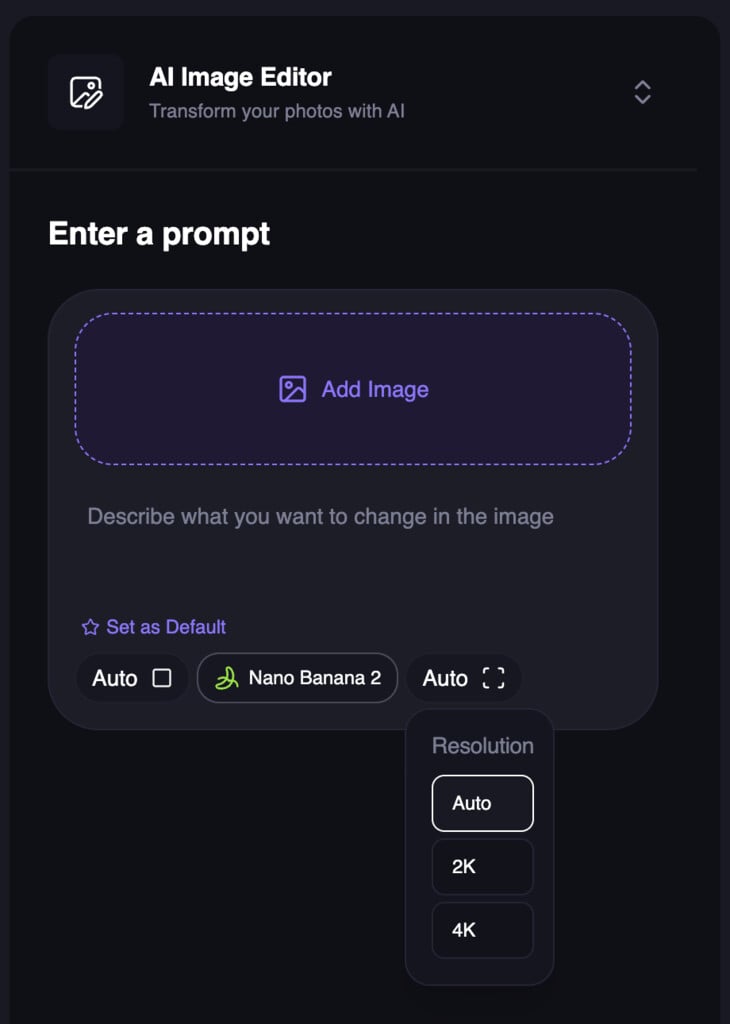
Image generation and editing now support resolution-based credit pricing. Choose from Auto, 2K, or 4K where supported by the selected model, with credits charged based on the selected resolution bucket—not the final image dimensions.Free users are limited to the default 640px resolution, while paid users can access higher resolutions for eligible models. The selected resolution preserves the image’s aspect ratio and is adjusted to provider-supported dimensions. 4K is not available for Qwen, Z-Image, or Flux Schnell.Web App
Free AI Character Swap Tool
You can now swap a character into any image with Magic Hour’s free character swap tool—no sign-up required. Upload a target scene, upload the person you want to swap in, and click Swap Characters to generate a new still image.Free usage includes 1 character swap per day. The new product page also includes step-by-step instructions, use cases, feature highlights, and guidance for getting the best results.Try it out now: https://magichour.ai/products/character-swapAPIWeb App
LTX Image-to-Video Now Supports 1- and 2-Second Generations
LTX image-to-video generations now support 1-second and 2-second durations in both the Magic Hour web app and API, giving you more flexibility for short video clips.Seedance 2.0 Is Now Available in Create
Seedance 2.0 is now featured in the Create carousel as a newly launched model for state-of-the-art video generation. It’s designed for cinematic shots, action, and storytelling, with options for both text-to-video and image-to-video.New Model Leaderboards Across Four Modalities
We added model leaderboard pages for Text-to-Image, Text-to-Video, Image-to-Video, and Text-to-Speech. Compare models across each modality, including available performance and speed data.Character Swap Dashboard Is Now Available
Character Swap is now available in the dashboard alongside Head Swap. Upload a target scene and the person to swap in, then generate the result for 100 credits.The Character Swap API supportstype: "character-replace" with two image keys: one for the target scene and one for the person being swapped in.Web App
Added Seedance 2.0 for Text-to-Video and Image-to-Video
You can now create videos with Seedance 2.0 in both Text-to-Video and Image-to-Video. The model is available at 480p and 720p, with 720p generation priced at $0.2427 per second.Web App
New AI Image Editing Model Leaderboard
You can now explore the AI Image Editing model leaderboard to compare available models in one place. This release includes a model leaderboard hub and a dedicated AI Image Editing leaderboard page, with a flexible format ready for additional categories in the future.Web App
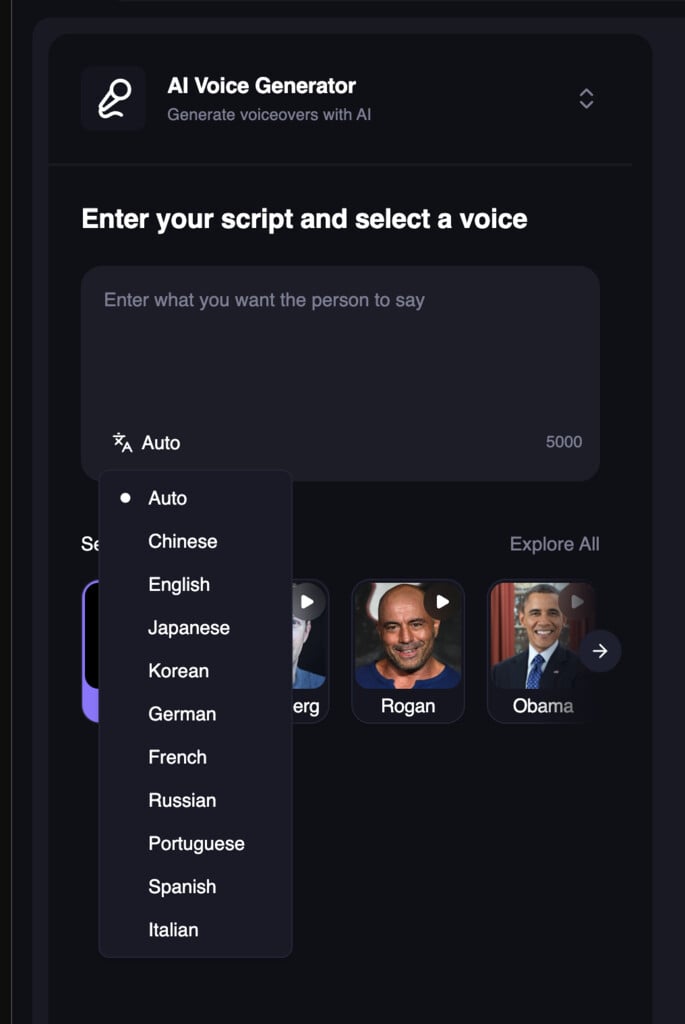
Choose a Language for Voice Generation and Cloning
The free Voice Generator and Voice Cloner now include a language selector. Choose Auto, Chinese, English, Japanese, Korean, German, French, Russian, Portuguese, Spanish, or Italian for more control over your audio results.Add Tags When Submitting Templates
You can now add tags when submitting templates, making it easier to categorize and organize them from the start.Added Veo 3.1 Lite for Text-to-Video and Image-to-Video
Veo 3.1 Lite is now available for text-to-video and image-to-video generation as a more affordable option for fast, high-quality daily generations.Veo 3.1 Lite costs 48 credits per second at 720p and 72 credits per second at 1080p.Web App
Explore All Tools in One Place
We built a new/create/tools page to make it easier to discover and access Magic Hour’s creative tools. Newly launched tools can now be highlighted using a simple recency-based “New” label.Drag and Drop Files Anywhere on Free Tools
Free tools that accept file uploads now support full-screen drag and drop. When a tool accepts different file types, dropping a file routes it to the correct input automatically.For tools with two inputs of the same type, the screen is split into two equally sized drop zones so you can place each file where it belongs.WAN 2.2 Model in Text-to-Video and Image-to-Video API
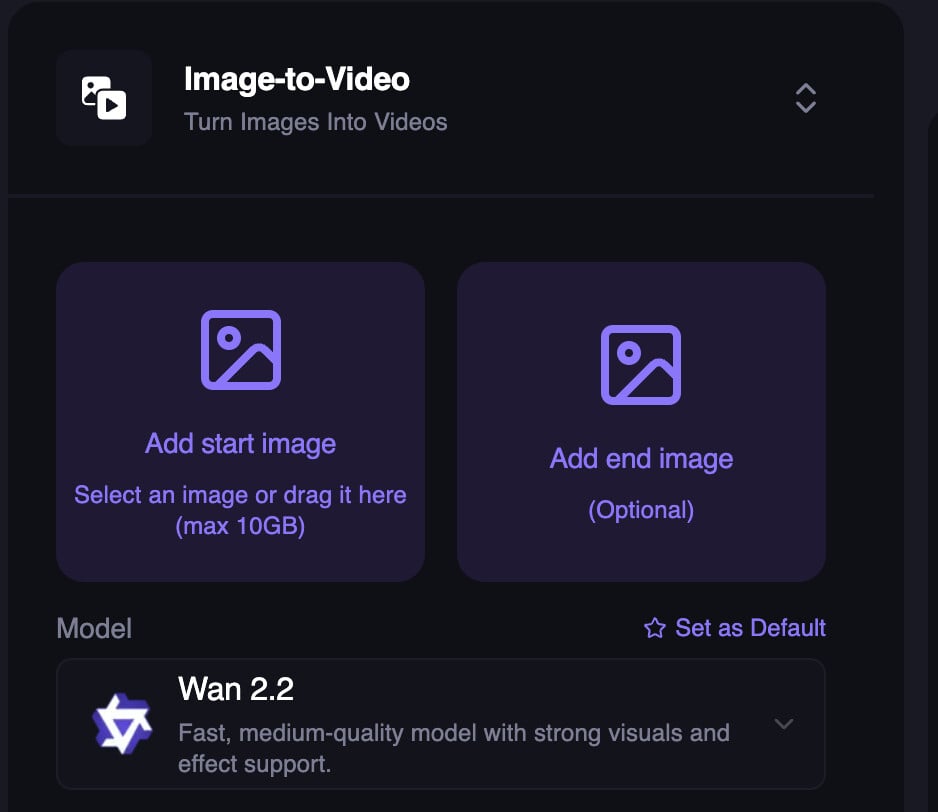
We’ve added the WAN 2.2 model to both the Text-to-Video and Image-to-Video APIs, giving you another high-quality option for generation.Choose it by setting the model to “wan-2.2” in your request.Added Wan 2.2 for Image-to-Video and Text-to-Video
Storyboard Generator Upgraded to Nano Banana 2; Nano Banana Deprecated
Nano Banana 2 (NB2) is now available in the Storyboard Generator. NB2 supports 4K and delivers higher quality results than the original Nano Banana.The original Nano Banana model is deprecated.Try it out now: https://magichour.ai/create/ai-storyboard-generatorHead Swap in the API
Head swap is now available in the Magic Hour API, enabling you to programmatically swap heads in your content.Use it to automate personalized creatives and power interactive experiences directly from your app or workflow.Try it out now: https://docs.magichour.ai/api-reference/image-projects/head-swapOne-Step Lip Sync Creation
Previously Used Images in AI Image Editor (Desktop)
Specifying Language in Voice Tools
Choose Output Resolution in AI Image Editor
End-Frame Support in Image-to-Video API
We added end-frame support to the Image-to-Video API. Now, you can provide an end frame to use as the last frame of the video.Out-of-credit API errors now return HTTP 402
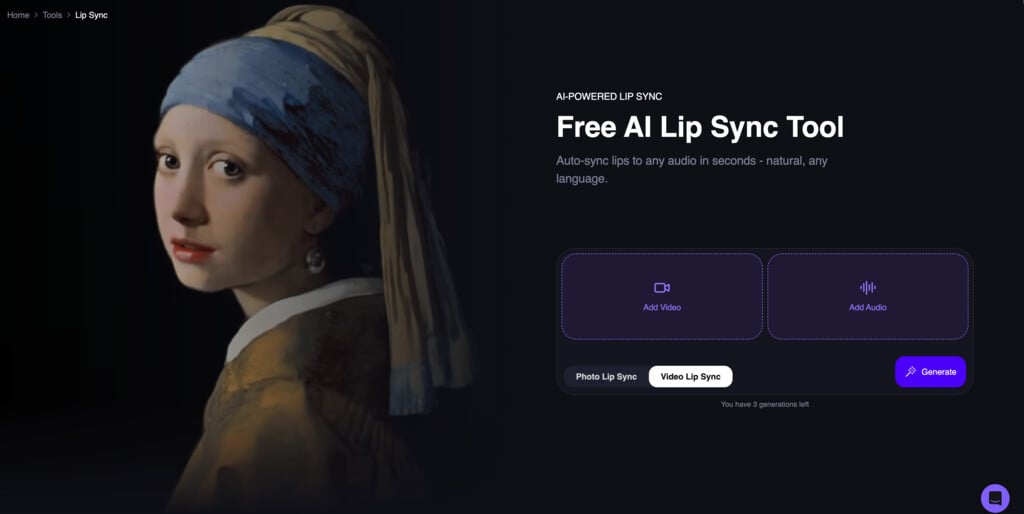
Our API now returns HTTP 402 Payment Required when a request fails due to insufficient credits (previously 422). This better reflects the billing-related nature of the error.If you check for specific status codes, update your error handling to look for 402.Refreshed Lip Sync free tool UI
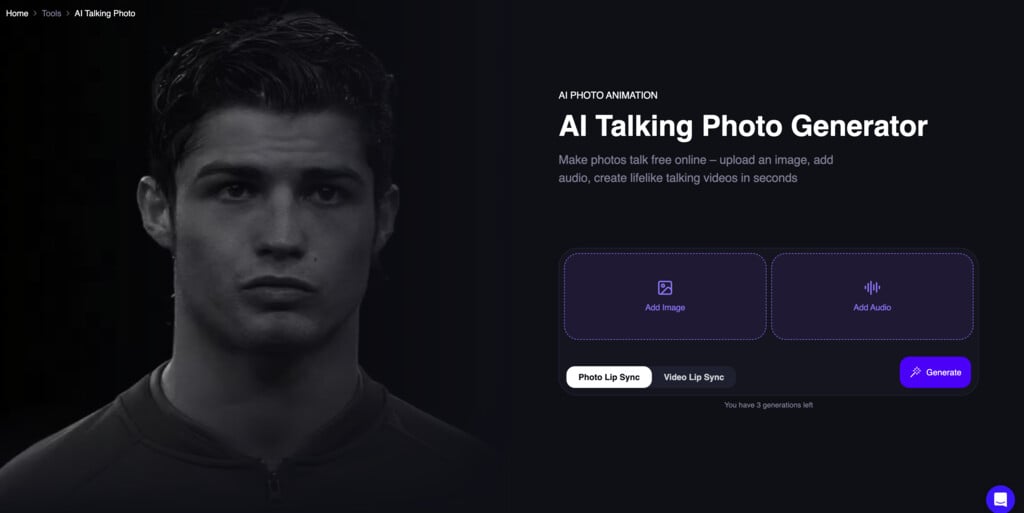
Revamped Talking Photo free tool UI
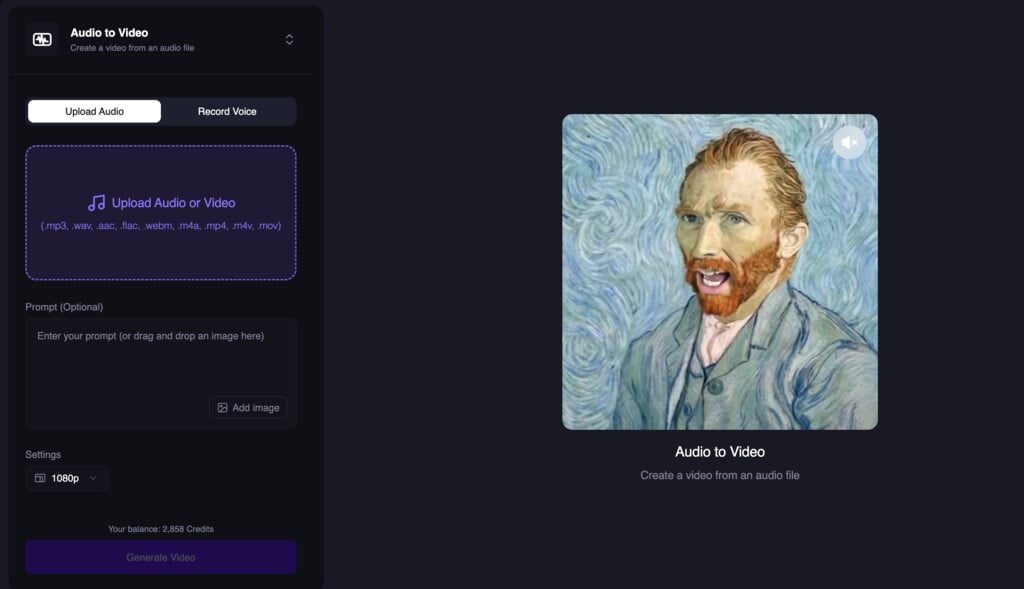
Audio-to-Video Comes to the Dashboard
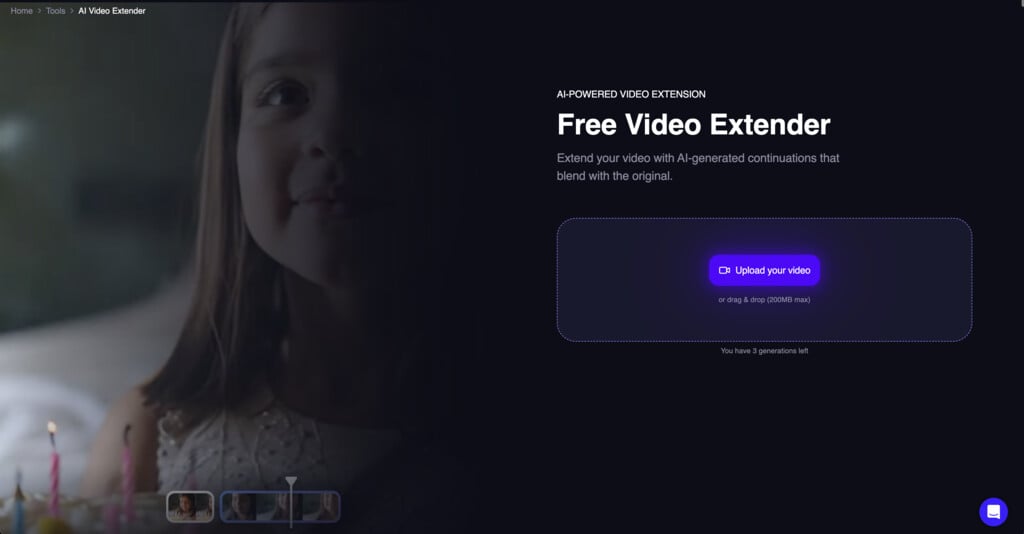
Free Video Extender
New AI Video Extender
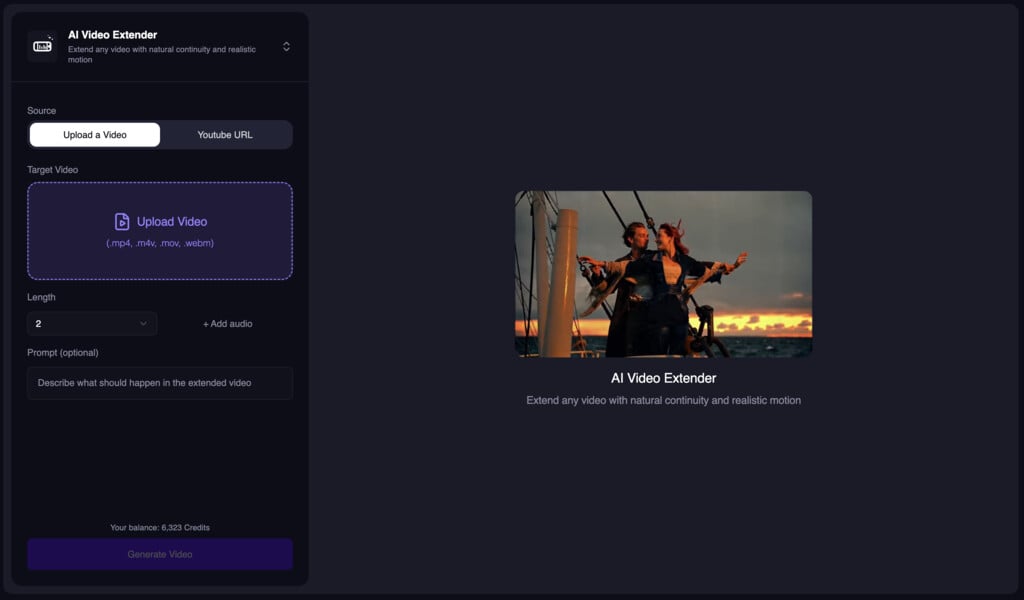
- Cost: 1 credit per frame
- Typical speed: ~60s for a 5s 576x576 video
- Inputs: Video, Length, Resolution, Prompt (optional), Audio (optional)
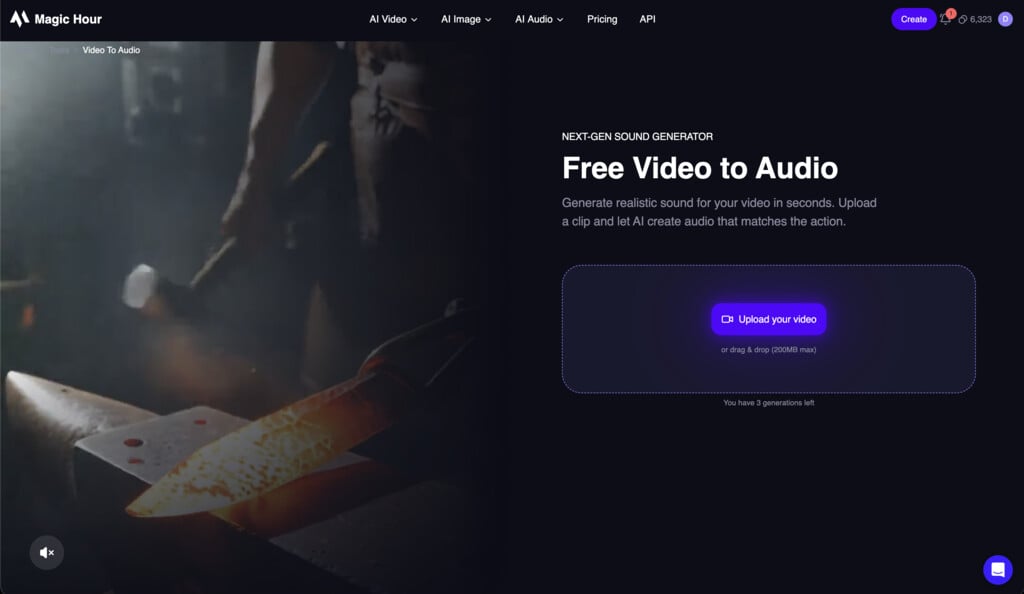
Free Add Sound to Video (5s Preview)
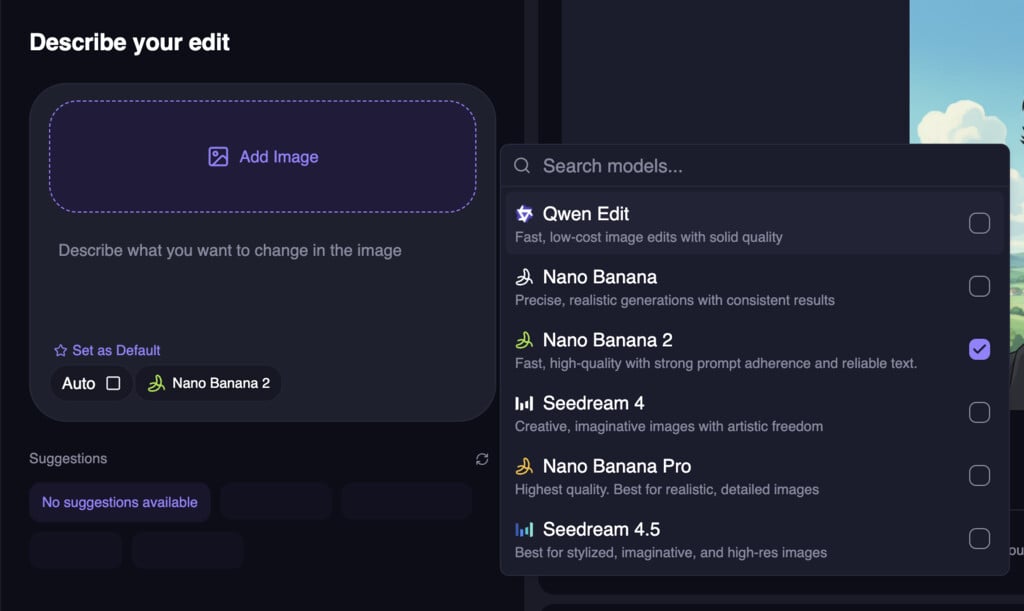
Nano Banana 2 in AI Image Editor and Generator
New Video to Audio Tool
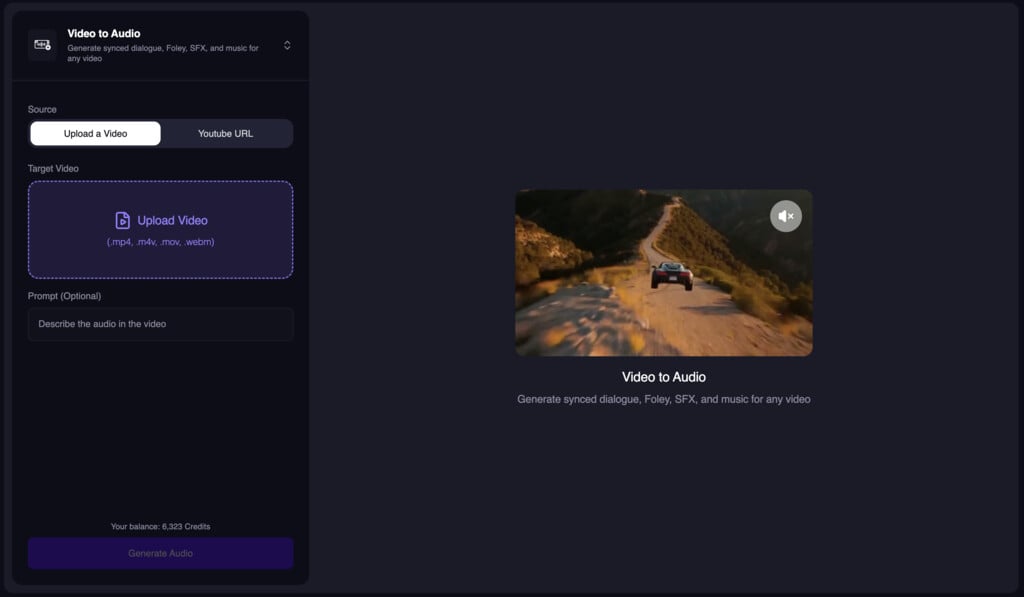
- Video
- Length (trims video if shorter than the source)
- Resolution
- Prompt (optional)
Added LTX-2 Model for Image-to-Video and Text-to-Video
We now added LTX-2 Model for Image-to-Video and Text-to-Video. The big change we made is that you can use LTX-2 (at 480p) without a subscription.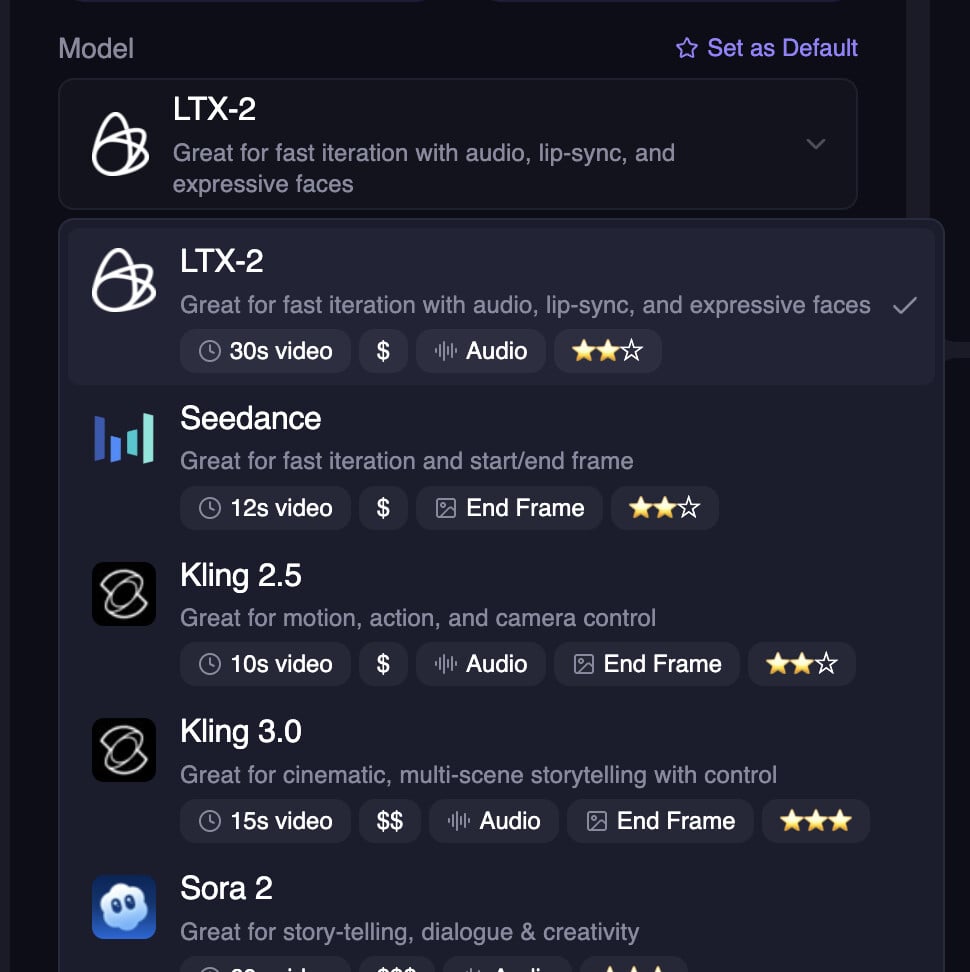
Added Kling 3.0 support to APIs
We now added Kling 3.0 to our API and released it for all SDKs.Added Kling 3.0 To Image-to-Video and Text-to-Video
We introduced Kling 3.0 to Image-to-Video and Text-to-Video. It is a new model that is faster, sharper, and has better results.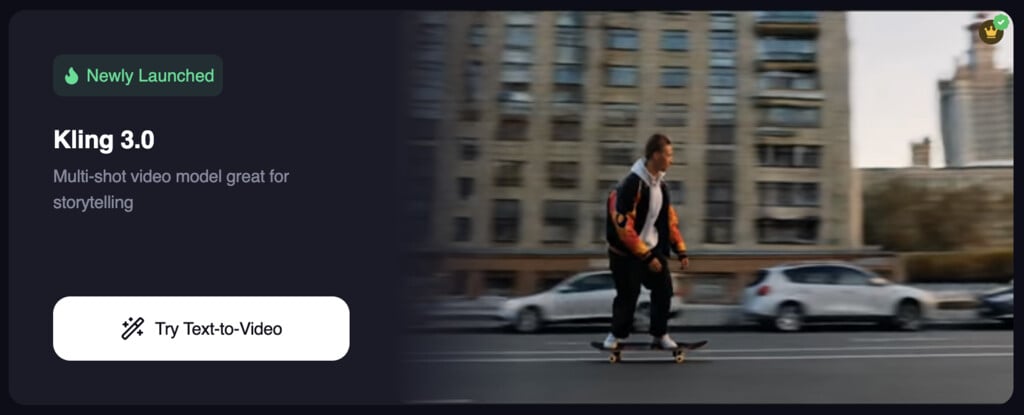
Named export for Client in Node SDK
To resolve import issues between cjs/esm modules, we have added a named export for the Client class in the Node SDK. This fixes the issue “TypeError: Client is not a constructor” when importing the Client class in a Node.js environment.Updated AI Image Editor API to include models param
You can now specify the following models for AI Image Editor:qwen-editnano-banananano-banana-proseedream-v4seedream-v4.5
AI Storyboard Generator
We launched a new tool called AI Storyboard Generator. It allows you to generate a storyboard for your video project.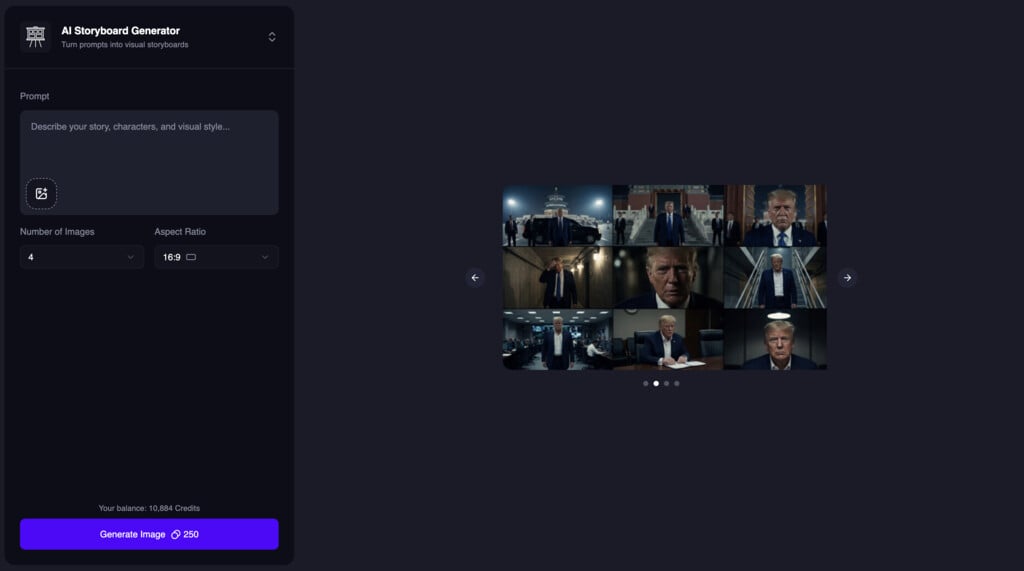
Cheaper AI Image Upscaler
We introduced a new mode for AI Image Upscaler that is 50% cheaper. We are calling itPro mode.Try it out now: https://magichour.ai/create/ai-image-upscaler
M4A Audio Support
Added support for.m4a audio uploads so you can upload more types of audio files. This feature is available to all modes with audio input.Lip Sync Mode Improvements
We made some internal improvements to Lip Sync standard and pro modes for smoother, more reliable results.Try it out now: https://magichour.ai/create/lip-syncNote: This feature is currently available to users with a subscription.Video Upscaler Dashboard Tool
Added a new dashboard tool to upscale videos.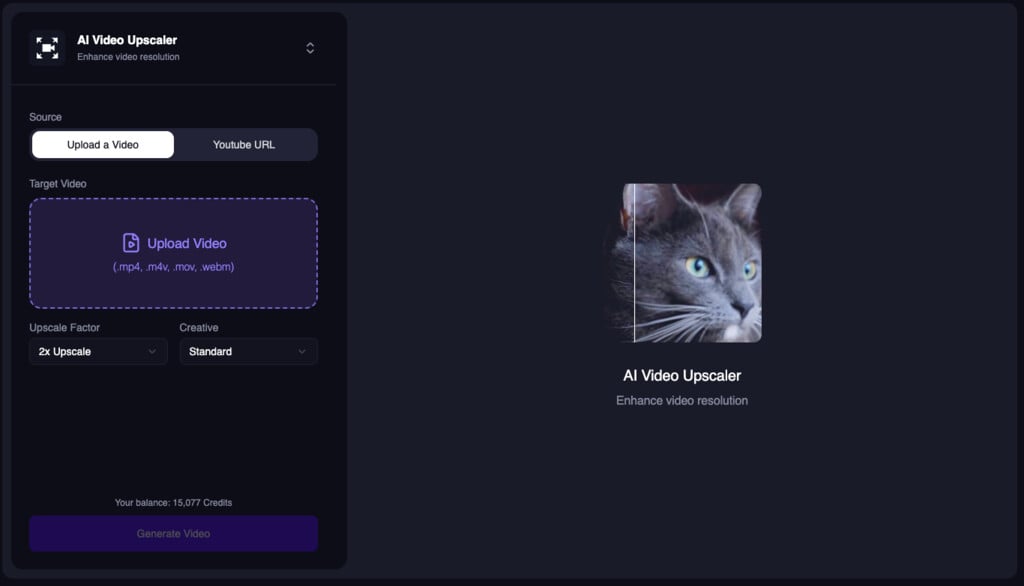
AI Image Generator API Model Selection
The AI Image Generator API now accepts amodel parameter so users can choose between available models.Improved Head Swap Dashboard
We added Head Swap to the dashboard experience.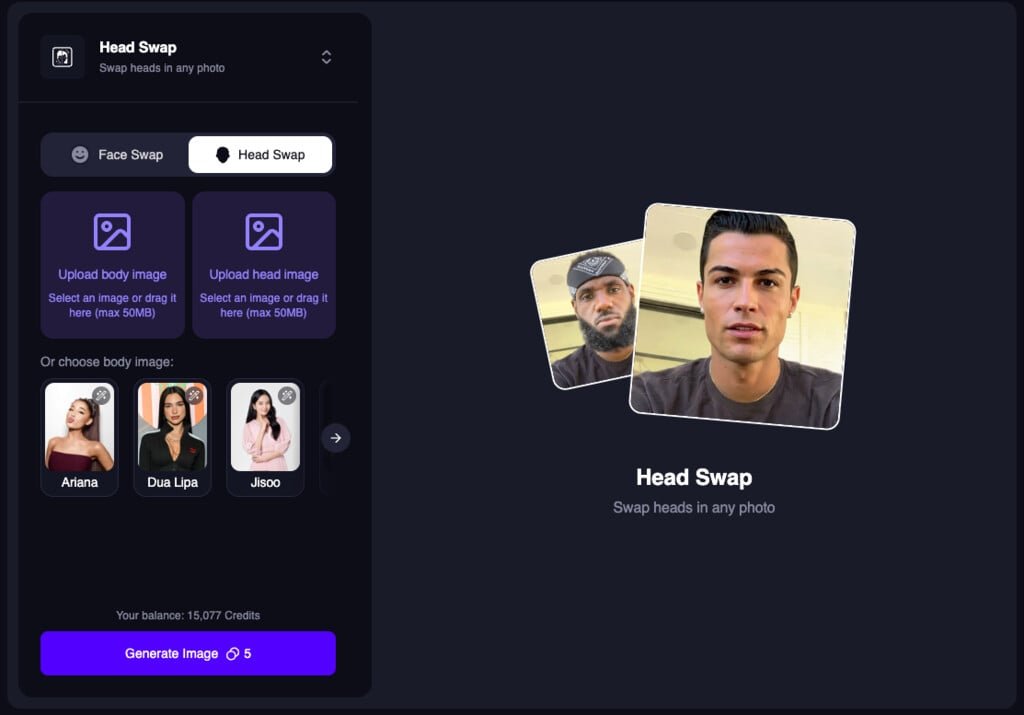
Model Selection for Image-to-Video and Text-to-Video APIs
Added amodel parameter to the Image-to-Video and Text-to-Video APIs so users can choose between available models. This brings the same model selection experience to the API as the create page.Head Swap Free Tool
Launched the free Head Swap tool at/products/head-swap for quick, zero-cost swaps.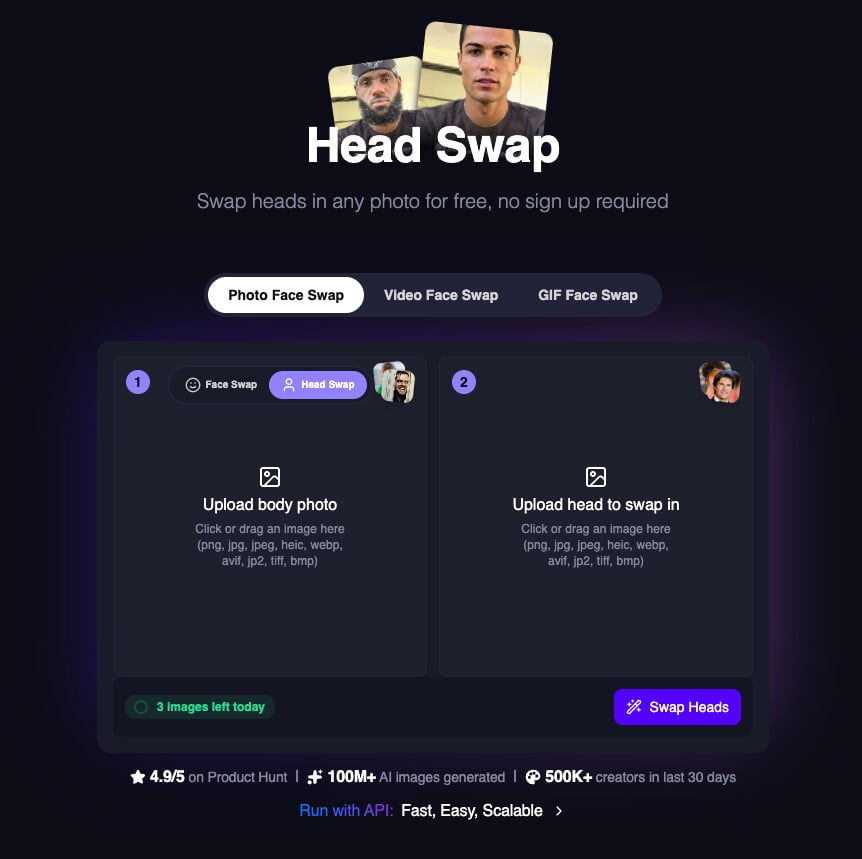
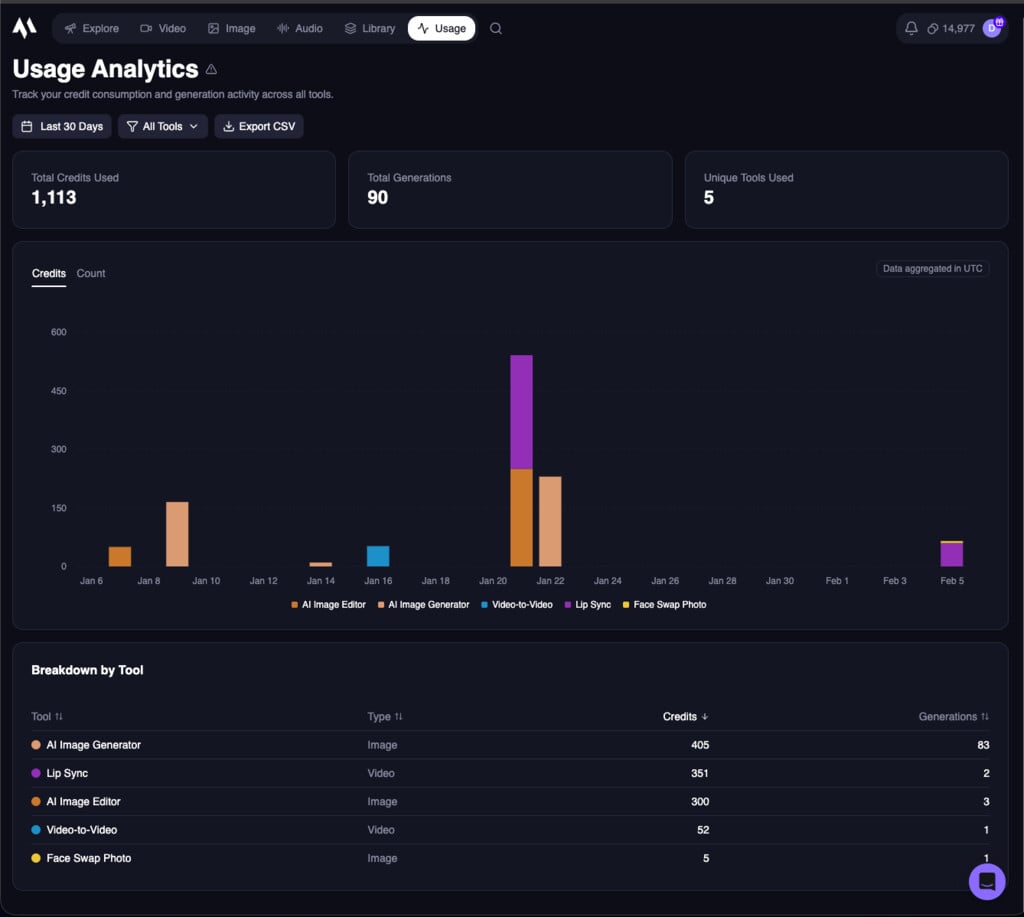
Node SDK URL Inputs
The Node SDK now supports URL inputs for.generate functions in v0.45.0, previously it only supported local file paths.Added max_resolution to AI Talking Photo API
We added a new max_resolution param to the AI Talking Photo API. You can now specify the maximum resolution of the output video if you want a specific resolution.Added Nano Banana Pro to AI Image Generator
AI Image Generator now includes Nano Banana Pro as a new model option.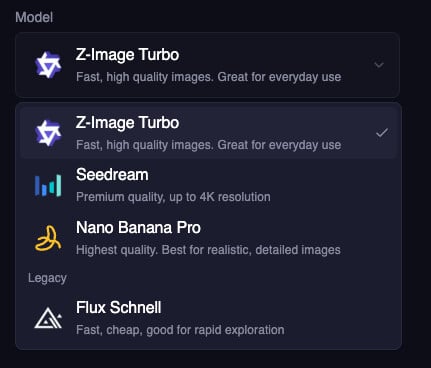
Higher Free User Resolution
Free users can now generate sharper outputs with a higher max resolution of 576px (up from 512px).Improved AI Clothes Changer
We improved the AI Clothes Changer to use Qwen for better results.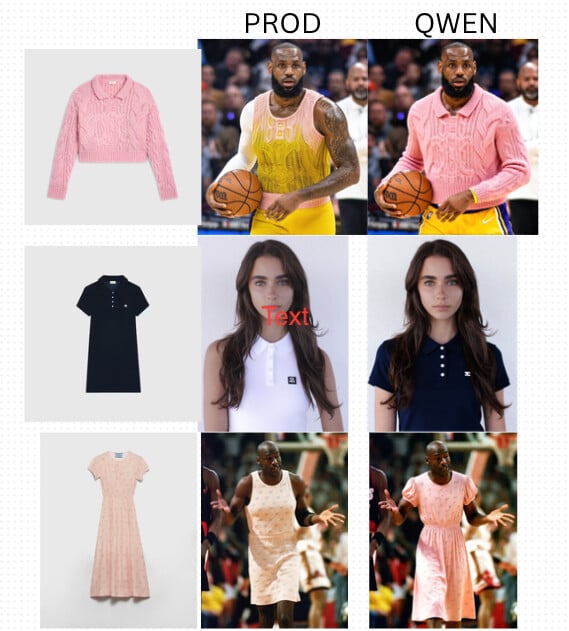
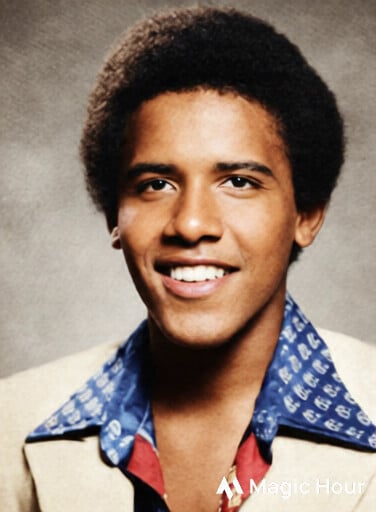
Improved Photo Colorizer
We’ve improved the Photo Colorizer with better color accuracy and more natural results. Try it out now!Before: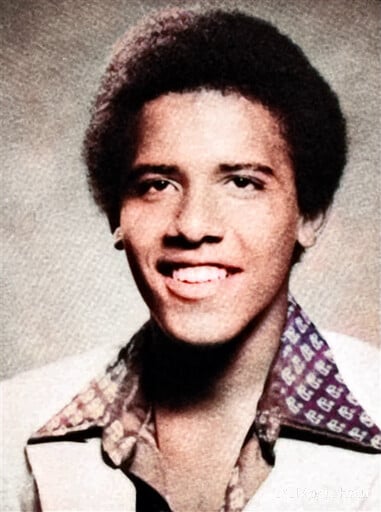
Voice Cloner API
We’ve added support for the Voice Cloner API, allowing you to clone voices programmatically.To take advantage of this change, please upgrade your SDK version to the latest.Qwen-Edit Model for AI Image Editor
We added Qwen-Edit as a new model option for AI Image Editor. This model has great performance at 1/5 the cost of our other models.